How to Set Up a Marketplace for Your Apartment Building
A step-by-step guide to creating an online marketplace for your apartment building or condo complex where residents can buy, sell, and trade with neighbors.
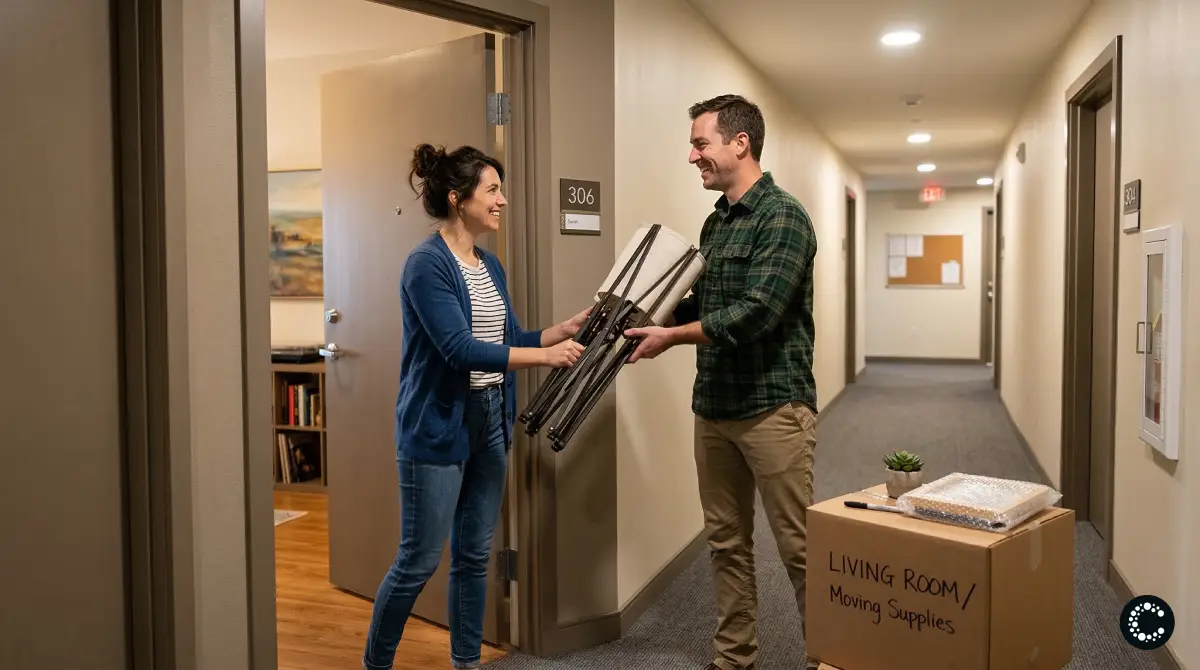
Living in an apartment building means you are surrounded by dozens, sometimes hundreds, of neighbors who buy, sell, and get rid of household items on a regular basis. Furniture that does not fit after a renovation, kitchen appliances collecting dust in a closet, baby gear that children have outgrown, exercise equipment that seemed like a good idea in January -- these items cycle through apartment buildings constantly. Yet most of this exchange happens inefficiently, if it happens at all.
Setting up a dedicated marketplace for your apartment building changes that. It gives residents a trusted, convenient place to buy and sell within their own community. This guide walks you through exactly how to do it, from choosing the right platform to getting your neighbors on board.
Why Your Apartment Building Needs Its Own Marketplace
Before diving into the how, it is worth understanding why a building-specific marketplace is so much more effective than the alternatives.
The Problem with General Platforms
Most residents default to Facebook Marketplace, Craigslist, or local buy-sell-trade groups when they want to sell something. These platforms work, but they introduce friction that does not need to exist when you are selling to someone who lives in the same building.
First, there is the trust issue. Listing a couch on Craigslist means inviting strangers to your building. You have to coordinate buzzing them in, worry about who is showing up, and deal with the awkwardness of having someone you have never met walk through your apartment. When you sell to a neighbor three floors up, that concern disappears entirely.
Then there is logistics. Selling a bookshelf on Facebook Marketplace means coordinating pickup times, giving driving directions, and waiting around for someone who might not show up. When the buyer lives in your building, the transaction can happen in an elevator ride. You can even leave items in a lobby or shared storage area.
Finally, there is the problem of relevance. General platforms are noisy. Your listing competes with thousands of others, and most buyers are not nearby. A building marketplace is inherently local -- everyone on the platform is a potential buyer who can pick up the item in minutes.
The Bulletin Board is Not Enough
Some buildings still rely on physical bulletin boards in lobbies or laundry rooms. While charming, these have obvious limitations. Photos are hard to include, postings get buried or torn down, there is no way to search or filter, and they only work if residents happen to walk past and look. A digital marketplace solves every one of these problems while keeping the same community-first spirit.
Choosing the Right Platform
Not every marketplace tool is built for this use case. Here is what to look for when choosing a platform for your apartment building.
Key Features to Prioritize
Privacy and access control. Your marketplace should be limited to verified residents. You do not want it open to the general public -- that defeats the entire purpose. Look for platforms that support private or moderated marketplaces where you control who can join.
Zero fees. Residents are selling a used toaster for fifteen dollars. They should not be paying a commission or listing fee on top of that. The platform should be genuinely free for this kind of community exchange.
Mobile-first design. Most residents will browse and post from their phones. If the platform requires a desktop browser or feels clunky on mobile, adoption will be low.
Easy listing creation. The easier it is to post an item, the more listings your marketplace will have. Platforms with AI-powered listing tools that let you snap a photo and auto-generate a title, description, and suggested price dramatically lower the barrier to posting.
Simple onboarding. If it takes more than two minutes to sign up and start browsing, you will lose people. The platform should be intuitive enough that residents of all ages and technical comfort levels can use it without instructions.
Why Cirkle Works Well for Apartment Buildings
Cirkle was designed specifically for community marketplaces like this. You can create a private marketplace for your building in minutes, and it checks every box above. There are zero fees and zero commissions on any transaction. The AI listing generator lets residents upload a photo and get a complete listing created automatically -- title, description, suggested price, and tags. The platform is mobile-first with a clean, modern interface. And you can set it up as a private marketplace so only invited residents can join.
You can explore more about how the platform works on our FAQ page or reach out to our team if you have questions about setting one up for your building.
Step-by-Step Setup Guide
Here is how to go from idea to a functioning apartment building marketplace.
Step 1: Define the Scope
Before creating anything, decide on the basics. Will the marketplace cover a single building, an entire condo complex, or a group of neighboring buildings? A larger scope means more listings and more potential buyers, but it also means more people to manage. For most situations, starting with a single building or complex works best.
Also decide what categories you want to support. Most apartment marketplaces focus on buying and selling physical items, but some expand to include services (dog walking, babysitting, tutoring), free items and giveaways, or sublet and roommate listings. Start simple and expand later based on what residents actually want.
Step 2: Create the Marketplace
With Cirkle, this step takes about five minutes. Sign up, choose the "Private" marketplace type, give it a name (something like "The Meridian Marketplace" or "200 Oak Street Buy & Sell"), and add a brief description explaining what it is for.
Set the privacy level to private so that only people you invite can view and post listings. You can always change this later if you want to open it up to neighboring buildings.
Upload a cover photo -- an image of your building or complex works well -- and customize any categories you want to highlight. That is it. Your marketplace is live.
Step 3: Set Up Basic Guidelines
Every community marketplace benefits from a few simple rules. Write these up and pin them or include them in the marketplace description. Suggested guidelines include:
Pricing. Encourage fair pricing. A good rule of thumb is 50 to 70 percent of what the item would cost new, adjusted for condition. The AI listing generator on Cirkle suggests prices automatically, which helps keep pricing reasonable.
Item condition. Ask sellers to be honest about condition and include clear photos. Nothing erodes trust faster than someone buying a "like new" item that turns out to be damaged.
Communication. Encourage residents to arrange pickups through the platform messaging rather than knocking on doors unannounced.
Prohibited items. Be clear about what cannot be listed. Most buildings exclude weapons, alcohol, medications, and anything that violates the lease agreement.
Responsiveness. Ask sellers to respond to inquiries within 24 hours and to mark items as sold promptly so the marketplace stays current.
Step 4: Recruit Your First Sellers
A marketplace with no listings will not attract buyers, and a marketplace with no buyers will not attract sellers. You need to break this cold-start problem, and the best way to do it is by seeding the marketplace with initial listings.
Start by posting five to ten items yourself. They do not have to be expensive -- a set of books, a lamp, some kitchen items. The goal is to show other residents what the marketplace looks like when it is active.
Then recruit three to five early adopters. These are the neighbors you already know, the ones who are friendly, somewhat tech-savvy, and likely to have things to sell. Ask each of them to post at least two or three items. With fifteen to twenty-five listings from a small group of early sellers, the marketplace will look active and worth joining.
Step 5: Spread the Word
Now it is time to invite the rest of the building. Use multiple channels to make sure the message reaches everyone.
Physical flyers. Post a simple flyer in the lobby, elevator, mailroom, and laundry room. Include the marketplace name, a one-sentence description, and a QR code that links directly to the sign-up page. Keep the design clean and the text minimal.
Building email list or newsletter. If your building has a resident email list or a property management newsletter, ask to include an announcement. A short paragraph explaining what the marketplace is and how to join is enough.
Group chats. Many buildings have WhatsApp, GroupMe, or Slack groups. Post a message there with a link and a brief explanation.
Word of mouth. The most effective channel in any apartment building is simply talking to people. Mention it when you see neighbors in the hallway, elevator, or common areas. "Hey, we set up an online marketplace for the building so people can buy and sell stuff without dealing with Craigslist -- want me to send you the link?"
Step 6: Keep Momentum Going
The first two weeks are critical. During this period, actively encourage new members to post listings and facilitate connections between buyers and sellers. If someone mentions in the group chat that they need a bookshelf, point them to the marketplace. If someone is moving out and has things to get rid of, suggest they list items rather than leaving them in the trash room.
After the initial period, the marketplace should start to sustain itself. New residents will join when they move in, and existing residents will use it whenever they have something to sell or are looking for something to buy.
What to Sell in an Apartment Marketplace
One of the most common questions from residents considering posting is, "What would anyone in my building want to buy?" The answer is: more than you think.
Furniture and Home Decor
This is the number one category in apartment marketplaces. Residents regularly upgrade, downsize, or restyle their spaces. Couches, desks, dining tables, bookshelves, rugs, lamps, wall art, and mirrors all sell quickly, especially when the buyer can see the item in person by walking down the hall.
Moving-Related Items
Apartment buildings have constant turnover. People moving out need to get rid of things quickly, and people moving in need to furnish their new space. This creates a natural supply-and-demand cycle that is perfect for a marketplace. Moving boxes, packing materials, and cleaning supplies are also in high demand during move-in and move-out seasons.
Kitchen and Household Items
Small appliances like blenders, coffee makers, and toasters. Cookware, dishes, and utensils. Storage containers, cleaning supplies, and organizational tools. These items are always in demand, and residents often prefer buying them secondhand at a fraction of the cost of new.
Baby and Kid Items
Families in apartment buildings cycle through baby gear, toys, children's clothing, strollers, and car seats rapidly. These items are often barely used and can be expensive to buy new, making them ideal for resale within a trusted community.
Electronics and Gadgets
Older phones, tablets, monitors, keyboards, headphones, and smart home devices. Many residents upgrade regularly and are happy to sell their previous devices at a reasonable price to a neighbor.
Fitness Equipment
Yoga mats, dumbbells, resistance bands, and compact exercise machines are popular listings, especially after New Year's resolution season winds down. These items are bulky to ship but easy to hand off to someone in the same building.
Free Items and Giveaways
Not everything needs a price tag. Many residents are happy to give away items they no longer need -- books, magazines, clothing, pantry items nearing their use-by date, extra hangers, and plant clippings. A "Free" category in your marketplace encourages this kind of community sharing and increases engagement.
Tips for Moderation and Management
Running a building marketplace does not require much effort, but a little active management goes a long way.
Appoint a Small Moderation Team
You do not need to manage the marketplace alone. Recruit two or three responsible neighbors to help moderate. This distributes the workload and ensures someone is always available to approve new members, address issues, or remove inappropriate listings.
Handle Disputes Gracefully
Occasionally, a transaction will not go smoothly. An item might not be as described, or a buyer might not show up for a pickup. Handle these situations calmly and privately. Most disputes in a building marketplace resolve quickly because the parties know they will continue to see each other in the elevator.
Keep the Marketplace Clean
Periodically review listings and remove any that are stale, clearly spam, or violate your guidelines. Encourage sellers to update or remove listings when items are sold. A clean, current marketplace builds confidence that the platform is active and worth checking.
Welcome New Residents
When new people move into the building, invite them to join the marketplace as part of their welcome. This is especially effective during their first few weeks, when they are most likely to need furniture and household items, and most open to connecting with neighbors.
Real-World Scenarios
To illustrate how this works in practice, here are a few scenarios drawn from common apartment life situations.
The Move-Out Sale
Sarah is moving across the country and cannot take her furniture. She lists her couch, dining table, desk, and several boxes of kitchen items on the building marketplace on a Monday. By Wednesday, she has sold the couch and desk to neighbors on floors two and seven. The dining table goes to a couple who just moved in on the fourth floor. The kitchen items she posts as free, and they are claimed within hours. Sarah avoids the hassle of Craigslist, does not have to coordinate with strangers, and handles every transaction with a quick elevator ride.
The New Parent
James and his partner just had a baby and need a crib, a changing table, and a stroller. Before checking retail stores, James browses the building marketplace and finds a family on the ninth floor whose toddler has outgrown all three items. He buys the lot for a third of what they would cost new, picks them up that evening, and gets a bonus: advice from experienced parents who live in the same building.
The Side Table Upgrade
Maria bought a new side table and does not need her old one. It is in good condition but not worth the effort of listing on Facebook Marketplace and dealing with strangers. She snaps a photo on Cirkle, the AI generates a listing with a suggested price of twenty dollars, and she posts it in under a minute. Her neighbor on the same floor buys it the next day. The transaction takes less time than carrying it to the dumpster.
Getting Started Today
Setting up a marketplace for your apartment building is one of the highest-impact, lowest-effort things you can do for your community. It reduces waste, saves residents money, builds connections between neighbors, and turns the constant churn of apartment life into an opportunity for everyone.
With Cirkle, the entire setup process takes less than five minutes. Create a free private marketplace, invite your neighbors, and start building a more connected community today. There are no fees, no commissions, and no complicated setup. Just a simple, trusted space for your building to buy, sell, and share.
Visit heycirkle.com to create your apartment building marketplace now. If you have questions about getting started, check out our FAQ or get in touch with our team. And for more ideas and guides on building community marketplaces, explore the rest of our blog.